


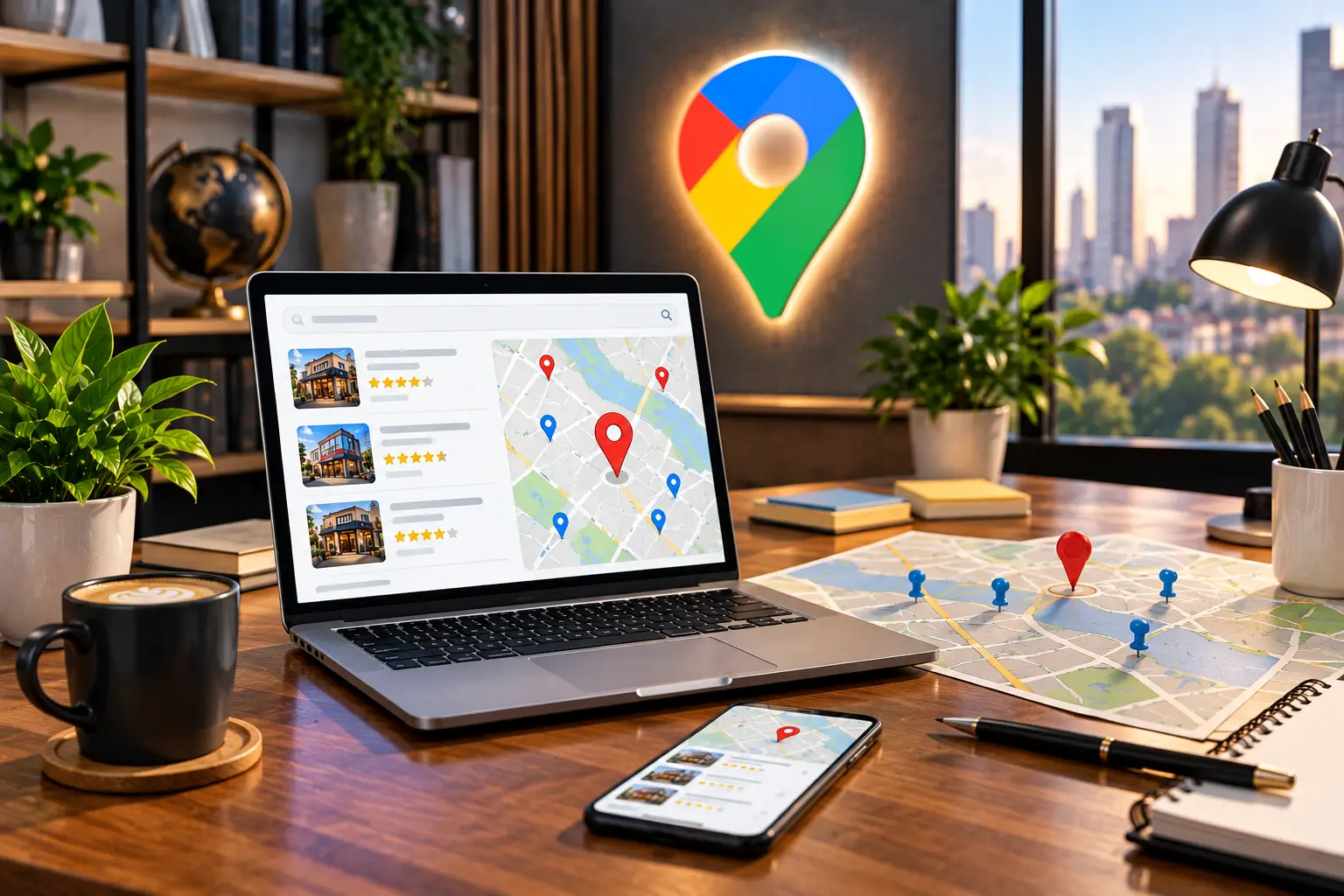
When people search for a business, product, or service near them, they often turn to Google Search and Google Maps. If your business is difficult to find online, potential customers may choose a competitor who is easier to discover.
Learning how to get your business on Google is an important step toward building online visibility, attracting local customers, and generating enquiries. Whether you run a local service business, a professional practice, a retail store, or a company serving specific areas, local SEO can help connect your business with relevant searches.
In this guide, you will learn how to create or claim your Google Business Profile, improve your Google Maps visibility, optimize your website for local searches, build customer trust, and measure your results.
How Google Helps Customers Find Local Businesses
Google helps people discover businesses through organic search results, Google Maps, and local business listings. For example, someone might search for a web design agency nearby, a dentist in their suburb, or a cleaning company serving their area.
Local SEO is the process of improving your online presence so your business has a better opportunity to appear for relevant location-based searches.
Google identifies three main factors that influence local rankings: relevance, distance, and prominence. Relevance describes how well your business matches a search, distance relates to the searcher’s location, and prominence reflects how well-known your business is online and offline.
You cannot control every ranking factor or guarantee a particular position. However, you can improve your business information, website content, customer experience, and online reputation to support stronger local visibility.
Create or Claim Your Google Business Profile
Your Google Business Profile is one of the most important starting points when you want your business to appear on Google Search and Google Maps. It allows eligible businesses to manage important information, including their name, category, contact details, opening hours, photos, services, and customer reviews.
Creating a Google Business Profile is free. Visit Google Business Profile to get started.
Steps to create or claim your profile
- Sign in with the Google account you want to use to manage your business.
- Search for your business name to check whether a profile already exists.
- If a profile exists, follow Google’s process to claim it or request access.
- If no profile exists, follow the instructions to add your eligible business.
- Enter accurate business information and complete the verification process offered by Google.
Before creating a new listing, check for duplicates. Multiple profiles for the same business can confuse customers and may conflict with Google’s guidelines.
Not every business is eligible for a Google Business Profile. Google generally requires businesses to have in-person contact with customers during their stated hours. Online-only businesses are generally ineligible. Review Google’s Business Profile eligibility guidelines before proceeding.
Verify Your Business on Google
After adding or claiming your profile, Google may require verification to confirm that you are authorized to represent the business. The available verification method depends on your business and Google’s assessment.
Follow the verification instructions displayed in your Business Profile. Google may offer methods such as video verification, phone, email, or other options where eligible. Use only the methods Google makes available for your listing.
Make sure the information you submit is genuine and consistent with your actual business operations. Do not create fake locations, use an address where your business is not eligible to operate, or attempt to bypass verification.
Once verified, keep your profile updated and maintain access to the account that manages it.
Optimize Your Google Business Profile
Creating a profile is only the beginning. A complete and accurate profile helps potential customers understand what your business offers and how to contact you.
Choose the correct business category
Select the primary category that most accurately describes your main business activity. Add relevant secondary categories only when they genuinely represent additional services or activities.
Avoid selecting unrelated categories simply because they appear popular or competitive.
Write an accurate business description
Explain what your business does, whom you serve, and what makes your services useful. Keep the description clear, factual, and natural.
Avoid repetitive keywords, exaggerated claims, and unnecessary promotional language. The objective is to help customers understand your business rather than fill the description with search terms.
Add services, hours, photos, and contact details
- Use your official business name.
- Keep your phone number and website accurate.
- Add current opening hours and update holiday hours when necessary.
- List the services your business genuinely provides.
- Upload authentic photos of your premises, team, products, or completed work where appropriate.
- Keep your address or service area accurate and consistent with your business model.
Complete information helps customers make informed decisions and supports Google’s understanding of your business. Read Google’s guidance on improving local rankings.
How to Get Your Business on Google Maps
To appear on Google Maps, an eligible business generally needs a Google Business Profile that has been added or claimed and verified as required. Google determines when and where the business appears based on relevance, distance, prominence, and other ranking systems.
To strengthen your local presence, focus on the following actions:
- Complete your Google Business Profile accurately.
- Choose the most relevant primary business category.
- Keep your contact information and business hours current.
- Use your website to explain your services and the locations you genuinely serve.
- Encourage honest customer reviews without offering incentives.
- Respond professionally to customer feedback.
- Build relevant local content and legitimate references to your business.
Being listed on Google Maps does not guarantee a top position in local results. A business may appear for some searches and locations but not others.
Use Local Keywords on Your Website
Your website should make it clear what your business does and where it operates. Local keyword research helps you understand how potential customers search for your services in particular cities, suburbs, or regions.
Find service and location keyword combinations
Examples of local search phrases include:
- Web design agency in Sydney
- Local SEO services in Melbourne
- Plumber in Brisbane
- Commercial cleaning services in Manchester
- Dental clinic in a specific suburb
These examples are illustrative. The right keywords depend on your actual service area, search demand, competition, and target audience.
Place keywords where they make sense
Use your primary topic naturally in the page title, main heading, introductory content, relevant subheadings, internal links, and metadata where appropriate.
Do not force a city name into every paragraph or create pages for locations you do not serve. Content should be written for potential customers, not just search engines.
For broader optimization, explore Chronix Digital’s SEO services to learn how keyword research, content optimization, and technical improvements work together.
Create Useful Location Pages
If your business genuinely serves multiple cities or regions, location pages can explain the services available in each area. However, each page should offer useful information rather than simply replacing one city name with another.
What should a location page include?
- A clear description of the service available in that location.
- Relevant information about the local customers or businesses you serve.
- Examples of relevant projects, experience, or local expertise where available.
- Accurate contact information and a clear enquiry option.
- Links to related services and useful resources.
- Unique content that genuinely helps visitors from that area.
For example, a web design agency targeting several cities should explain how its services meet the needs of businesses in each market instead of publishing dozens of nearly identical pages.
Creating many low-value location pages solely to capture searches can raise concerns under Google’s doorway abuse policies. Prioritize useful pages with a clear purpose.
For help building a local search strategy around your target areas, visit Chronix Digital’s Local SEO services.
Build Trust With Customer Reviews
Customer reviews help people evaluate your business before contacting you. They can also contribute to your business’s prominence in local search, although reviews alone do not guarantee better rankings.
Make it easy for genuine customers to leave feedback by sharing your Google review link after a completed purchase, appointment, or project.
Best practices for managing reviews
- Ask real customers for honest feedback.
- Make review requests part of your normal customer follow-up process.
- Respond to positive and negative reviews professionally.
- Address legitimate complaints and use feedback to improve your service.
- Never buy reviews, create fake reviews, or offer rewards in exchange for positive ratings.
When responding to negative feedback, remain calm, avoid sharing private customer information, and offer an appropriate way to resolve the issue.
Keep Business Listings Consistent
Business citations are online mentions of your business details, such as its name, address, phone number, and website. These can appear in reputable directories, industry associations, local business websites, and other relevant platforms.
Review your important listings and make sure the information is accurate. Update outdated phone numbers, incorrect addresses, old websites, and duplicate entries where possible.
Consistency helps customers contact the correct business and reduces confusion across your online presence. Avoid submitting your business to hundreds of irrelevant directories simply to increase citation counts.
Improve Technical SEO and Local Content
Your Google Business Profile and website should work together. A well-maintained website gives potential customers more information about your services and provides additional opportunities to appear in relevant organic search results.
Make your website mobile-friendly
Many local searches happen on mobile devices. Ensure your website works well on smaller screens, loads efficiently, displays contact information clearly, and makes it easy to call or submit an enquiry.
Improve page titles, headings, and internal links
Give important service and location pages clear titles and descriptive headings. Link related pages together so users can move naturally between your services, supporting articles, and contact information.
For example, this local SEO guide can link to your Local SEO service page, while an article about small business marketing can link to Small Business SEO services when relevant.
Use structured data appropriately
Relevant LocalBusiness structured data can help search engines understand details about a business, such as its name, address, phone number, and opening hours. Include only accurate information that represents your business and follows Google’s structured data guidelines.
Structured data does not guarantee a special search result or higher rankings. It should support a clear, accurate website rather than replace useful content or a properly maintained Business Profile.
Track Your Local SEO Results
Local SEO should be measured by the visibility and business outcomes it creates, not rankings alone.
Use Google Business Profile performance data and tools such as Google Search Console and Google Analytics to understand how customers discover and interact with your business.
Monitor metrics such as:
- Search impressions and clicks.
- Queries that bring visitors to your website.
- Google Business Profile interactions.
- Calls, website visits, and direction requests where available.
- Organic traffic to important service and location pages.
- Qualified enquiries, bookings, and sales.
Review results regularly and use them to identify opportunities. For example, if a location page attracts visitors but generates few enquiries, consider improving its content, contact options, trust signals, or user experience.
Local SEO Mistakes to Avoid
- Creating duplicate profiles: Check for an existing listing before adding a new one.
- Using a misleading business name: Represent your real-world business accurately.
- Creating fake locations: Do not use virtual or unstaffed addresses to manipulate local rankings.
- Ignoring reviews: Respond to customer feedback and address genuine concerns.
- Publishing thin location pages: Create content that provides distinct value to local visitors.
- Stuffing keywords: Write naturally and keep content useful.
- Ignoring the website: Maintain technical health, mobile usability, relevant content, and clear conversion paths.
- Expecting instant results: Local visibility depends on competition, relevance, distance, prominence, and ongoing work.
Local SEO Checklist
Use this checklist to review your current local search presence.
- Claim or create an eligible Google Business Profile.
- Complete the verification process offered by Google.
- Confirm your business name and primary category are accurate.
- Update your phone number, website, hours, and services.
- Add authentic photos and useful business information.
- Develop relevant local keywords and website content.
- Create useful location pages where justified.
- Request genuine customer reviews and respond professionally.
- Check important business listings for accuracy.
- Review website speed, mobile usability, internal links, and structured data.
- Measure search visibility, customer interactions, and qualified enquiries.
Frequently Asked Questions
How do I get my business on Google for free?
You can create or claim an eligible Google Business Profile for free through Google Business Profile. Complete the required information and follow Google’s verification process. You can also improve your website’s organic visibility through SEO.
How long does it take for my business to appear on Google?
The timeline varies. Profile verification, processing, indexing, and search visibility are separate processes. A verified profile may become visible before your website gains strong organic rankings. Competition, relevance, distance, and prominence affect local results, so no fixed timeline can be guaranteed.
Why is my business not showing on Google Maps?
Possible reasons include an incomplete or unverified profile, eligibility issues, incorrect business details, duplicate listings, or limited relevance to the searcher’s query and location. Review your profile status and Google’s guidelines before making changes.
Do I need a website to appear on Google Maps?
An eligible business can have a Google Business Profile without a website. However, a useful website can provide additional information about your services, help customers evaluate your business, and create more opportunities for organic search visibility.
Can I rank in multiple cities with one Google Business Profile?
A business may serve customers across multiple locations, but local visibility depends on several factors, including the searcher’s location and the business’s relevance and prominence. Do not create fake profiles for cities where you do not have eligible business locations. Use genuinely useful website content to explain your service areas.
Does local SEO guarantee a top Google Maps ranking?
No. No agency can guarantee a particular local ranking. Local SEO improves the accuracy, relevance, and overall strength of your online presence, but Google controls its ranking systems and results vary by query and location.
Get More Local Visibility With Chronix Digital
Getting your business on Google is the first step. Building a strong local presence requires accurate business information, a well-optimized Google Business Profile, useful website content, a trustworthy reputation, and ongoing performance improvements.
Chronix Digital helps businesses improve local search visibility through keyword research, Google Business Profile optimization, location pages, citation management, review strategy, technical SEO, structured data, and ongoing monitoring.
Explore our Local SEO services to learn how we can help your business reach relevant customers in its target areas. You can also explore our broader SEO services or SEO solutions for small businesses.
Ready to improve your local search visibility? Contact Chronix Digital to discuss a local SEO strategy tailored to your business, services, competition, and target locations.